Scanner Can't Find Your Pet's Microchip? What to Record and Ask the Vet
A negative microchip scan rarely means a dead chip. Learn how frequency mismatches and migration cause missed reads, what to log on every scan, and what to ask your vet next.

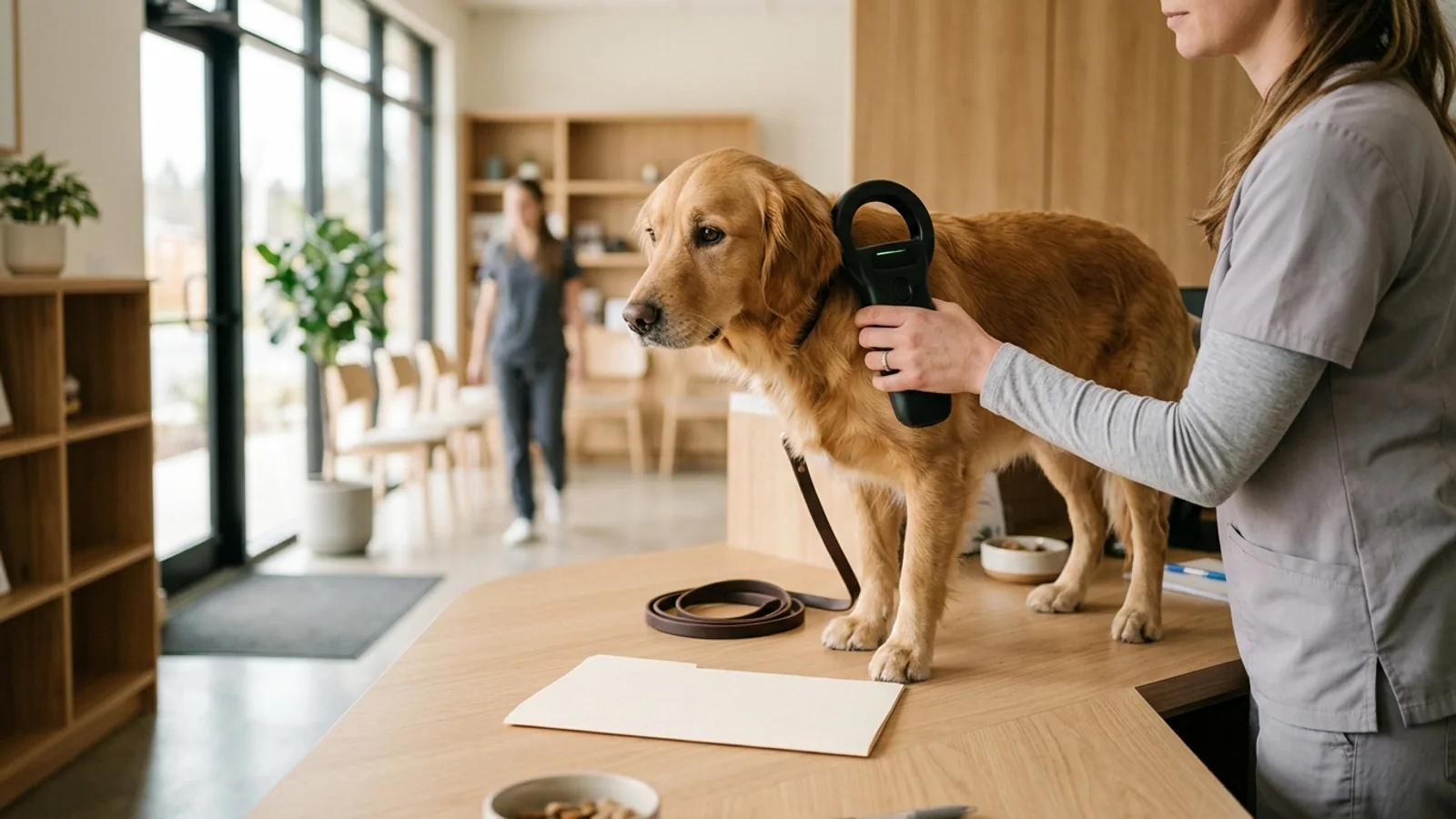
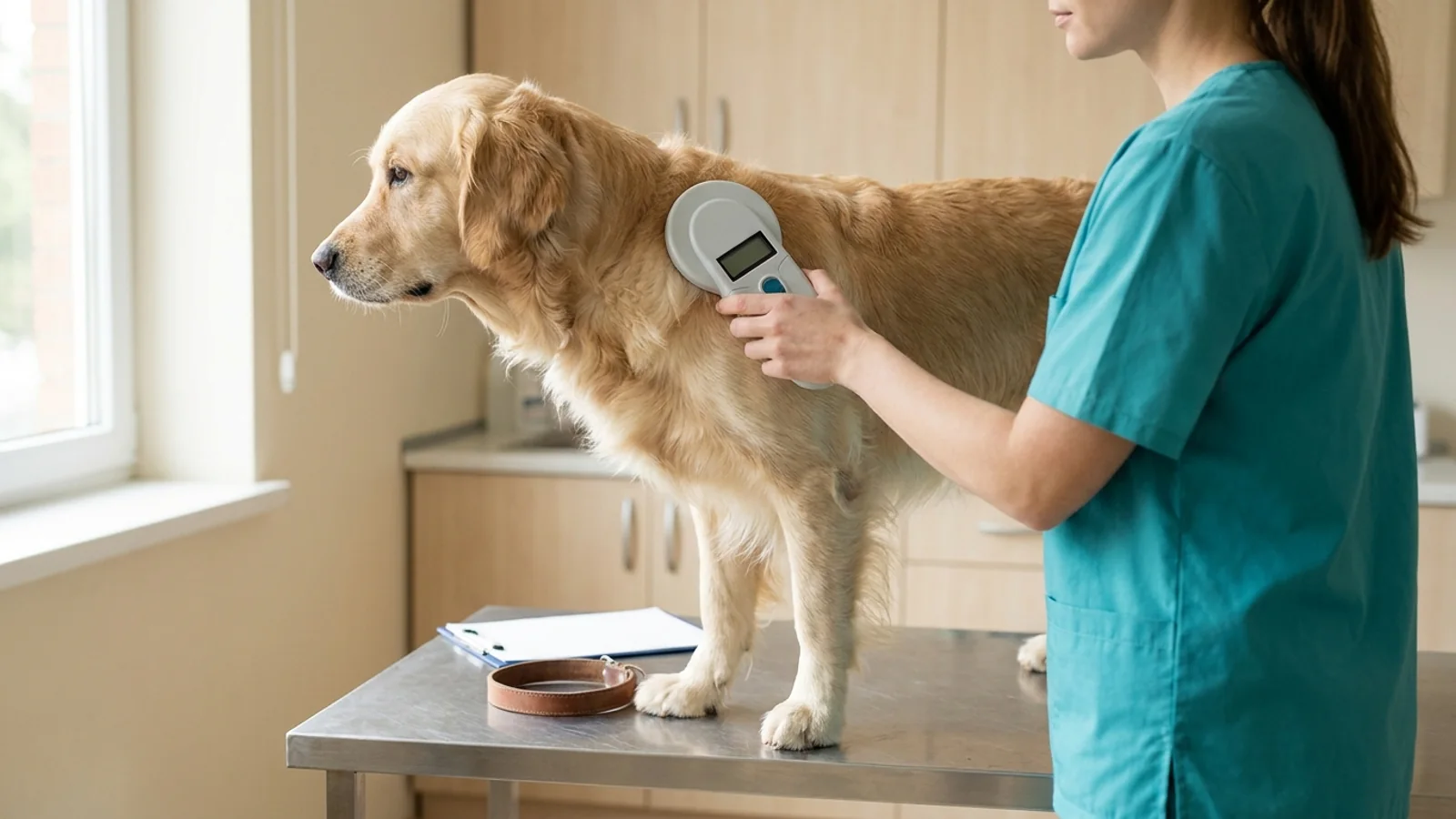
Hearing a veterinary technician or shelter intake worker say "no microchip found" when you hold adoption paperwork, a breeder packet, or a prior veterinary invoice listing a chip number is unsettling. The natural assumption is that the chip has died under the skin or that the pet was never chipped at all. According to the American Veterinary Medical Association (AVMA) microchipping FAQ, the microchip itself only rarely fails: it has no battery or internal power source and usually does not wear out. A scanner that reports "no chip found" is describing the outcome of that scan attempt—which depends on whether the scanner can read the chip's radio frequency, how slowly and completely the body was scanned, whether a metal collar or matted hair got in the way, and where the chip now sits under the skin.
Before anyone talks about implanting a replacement chip, the most useful step for pet owners and veterinary front-desk teams is to treat a first negative scan as an unverified observation. In the United States, pet microchips operate at one of three radio frequencies (134.2 kHz, 125 kHz, or less commonly 128 kHz), and a shelter field study published in the Journal of the American Veterinary Medical Association (JAVMA) found that none of four commercial scanners, three of them universal models, had 100% sensitivity for any microchip brand. Repeating the scan methodically with a universal scanner, covering the whole body rather than only the shoulders, writing down the scan conditions, and routing any 9-, 10-, or 15-digit number through the American Animal Hospital Association (AAHA) Microchip Registry Lookup Tool separates a read miss from a missing chip—and checks the registry record, which is where many lost-pet reunions actually break down.
What "No Chip Found" Actually Means
A pet microchip is a tiny electronic device in a glass cylinder about the size of a large grain of rice. It has no internal power source and stays inactive until a compatible scanner is passed over it; the scanner's radio waves activate the chip, which transmits its identification number back to the scanner's screen. As the AVMA explains, pet microchips usually contain only that unique 9-, 10-, or 15-digit number (some also transmit body temperature)—not your contact details or your pet's medical records—and a microchip is not a GPS device and cannot track or locate a pet remotely. For a chip to be read, the animal must be physically present in front of a scanner that can detect the chip's frequency.
According to the AVMA, the most common US pet microchips operate at one of three frequencies:
134.2 kHz (ISO-compliant): The frequency of the international standard (ISO 11784:1996 and ISO 11785:1996), used in most countries. ISO-compliant chips use 15-digit identification numbers, and AAHA suggests considering a 15-digit chip if you travel to or move outside the United States with your pet.
125 kHz (non-ISO): An older, non-ISO-compliant frequency that is still in use in US pets. The 2008 JAVMA scanner study tested both encrypted and unencrypted 125-kHz chips, and this is the frequency at which one universal scanner performed worst.
128 kHz (non-ISO, less common): The least common of the three in US pets, according to the AVMA; universal scanners are designed to detect it alongside the other two.
Why do three frequencies coexist? As the AVMA explains, there is no federal or state requirement that all US pet microchips conform to a single standard, and AAHA notes that the Animal Welfare Act does not authorize USDA-APHIS to mandate a national standard for pet microchips or scanners. Universal scanners detect all three frequencies and are now widely used by clinics, shelters, and animal control agencies, but the AVMA notes that some older scanners read only ISO-compliant chips or only certain non-ISO chips, and a scanner that reads only one frequency will detect only a chip of that frequency. When that kind of scanner passes over a working chip on another frequency, the screen shows "no chip found" even though the chip under the skin is fine. AKC Reunite, a microchip registry, says that when owners report a missed read, many times nothing is wrong with the chip and the scanner used is very old and outdated.
Why a Working Chip Gets Missed: Scanner, Technique, Migration
Even with a universal scanner, scanner sensitivity and technique govern whether a working chip is detected. The clearest peer-reviewed benchmark is a cross-sectional field study by Linda K. Lord and colleagues, published in JAVMA (2008;233[11]:1729–1735). Six animal shelters each used a different microchip brand and implanted chips in about two-thirds of the animals they enrolled; all 3,949 dogs and cats were then scanned with three or four commercial scanners, and sensitivity was calculated as the share of chipped animals in which each scanner detected the chip.
The results are a caution against trusting a single quick pass:
No scanner reached 100% sensitivity: None of the scanners examined detected the chip in every implanted animal for any of the microchip brands.
High, but imperfect, detection of 128- and 134.2-kHz chips: The three universal scanners all had sensitivity of at least 94.8% for chips at those frequencies.
Weaker detection of 125-kHz chips by one universal model: Three of the four scanners had sensitivity of at least 88.2% for 125-kHz chips, but one universal scanner detected only 66.4% to 75.0%—so roughly one in four to one in three of those working chips went undetected by that unit.
The authors' advice: To maximize detection, use proper scanning technique and scan animals more than once.
Read those percentages with their era in mind: the Lord et al. (2008) study tested the scanners that were commercially available when it was conducted, and today's models were not part of it. The durable lesson is not a brand name to look for but a method: careful technique, more than one pass, and a second universal scanner when a chip that should be there does not appear.
Migration and Physical Interference During the Scan
Microchips are typically implanted just beneath the skin between the shoulder blades. According to the AVMA microchipping FAQ, migration—the chip moving from its original implantation site—is the most frequently reported microchip complication. It usually does not affect the pet's health, but it can make the chip harder to find if a complete scan is not performed. The AKC Reunite scanner troubleshooting FAQ similarly notes that in rare instances a chip shifts after implantation and is no longer at its original site, and the AVMA adds that incorrect placement at implantation can make a chip difficult to find. Neither source maps where a moved chip ends up, which is why the practical answer is to scan the whole body rather than only the shoulders.
Beyond migration, the AVMA lists four situations that can interfere with scanning and detection:
An animal that will not stay still: A wriggling pet makes it easy to skip areas or lift the scanner away from the body; a calm handler and a second pass help.
Long, matted hair at or near the chip site: Part or smooth the coat where possible and keep the scanner close to the body.
Excessive fat deposits where the chip was implanted: Take extra time over the shoulder area in heavier pets rather than relying on one quick sweep.
A metal collar, or a collar with a lot of metal on it: Remove the collar, tags, and any harness with metal hardware before scanning.
| Suspected Cause of "No Chip Found" | Why the Read Fails | How to Check at the Clinic or Shelter |
|---|---|---|
| Incompatible or Outdated Scanner | A scanner that reads only one frequency misses chips on the others, and even universal scanners differed: one detected only 66.4% to 75.0% of 125-kHz chips in Lord et al., 2008. | Ask whether the unit is a universal scanner; re-scan with a second universal scanner in the building or at another visit. |
| Rushed or Partial Scan | A quick pass over the shoulders alone can miss a chip that is present, and no scanner in the published study detected every chip. | Do a slow, complete scan of the whole body, then scan again; the study authors advised scanning animals more than once. |
| Microchip Migration | The chip has moved from its original site between the shoulder blades, the most frequently reported complication according to the AVMA. | Extend the scan over the neck, chest, both front legs, sides, back, and flanks. |
| Physical or Collar Interference | A pet that will not stay still, long matted hair, excessive fat deposits, or a metal collar can interfere with detection. | Remove collars, tags, and metal harness hardware; calm the pet; part matted hair; keep the scanner close to the coat. |
| Paperwork Problem or Rare Chip Failure | The record lists a chip that cannot be confirmed, the chip was placed where it is hard to find, or, rarely, the chip itself has failed. | Confirm the number with the shelter, breeder, or implanting clinic; after repeated negative complete scans with universal scanners, discuss next steps, such as whether to place a new chip, with your veterinarian. |
flowchart TD
    A["Initial Scan Reports 'No Chip Found'"] --> B["Remove Metal Collar, Tags, and Harness"]
    B --> C["Confirm a Universal Scanner (134.2, 125, and 128 kHz)"]
    C --> D["Slow Full-Body Scan: Neck, Shoulders, Chest, Front Legs, Sides, Back & Flanks"]
    D --> E{"Chip Number Read?"}
    E -- "Yes" --> F["Reset Scanner & Re-Scan Full Body to Check for a Second Chip"]
    F --> G["Log Number(s) in Scan Record & Check AAHA Registry Lookup"]
    E -- "No" --> H["Repeat Scan with a Second Universal Scanner or at Another Visit"]
    H --> I{"Detected on Repeat Scan?"}
    I -- "Yes" --> F
    I -- "No" --> J["Record Practice Name, Scanner Type & Areas Scanned in the Scan Log"]
J --> K["Contact the Registry on Your Paperwork & Discuss Next Steps with the Vet"]The Scan Record: What to Write Down Every Time
When a scan fails, many pet owners leave the exam room with nothing more than a verbal remark that "we couldn't find the chip." Weeks or months later—at an annual checkup, a boarding intake, or a pre-travel exam—it is hard to remember whether the previous technician removed the dog's collar, whether they scanned down the chest and front legs, or what kind of scanner was used. Turning that verbal remark into a written Microchip Scan Record changes the conversation from guesswork to a documented escalation.
The fields in a useful scan record are not arbitrary. When a microchip cannot be detected and you contact a recovery registry for assistance, the registry may ask for specific intake facts. For example, AKC Reunite's scanner troubleshooting guide instructs pet owners to provide three pieces of information:
The pet's microchip ID number (from your original implant certificate, adoption folder, or rabies record),
The name of the veterinary practice or shelter that was unable to detect the microchip, and
The brand or type of scanner used (so the registry can help work out whether the problem is the chip or something else, such as a very old scanner).
Use the template below to log every scan attempt, both when troubleshooting a missed read and at the annual wellness scan. The first two rows are an illustrative example of how a missed read and a successful re-scan might be recorded, not a real case; the last row is the blank template to copy. Keeping this record with your pet's medical folder also helps if you ever need to request a complete veterinary medical records transfer between clinics or ask for a correction to an error in your pet's medical record, such as a mistyped digit in a chip number.
| Scan Date | Clinic / Shelter & Staff Member | Scanner Make / Type | Collar Off? Body Areas Scanned | Result & Exact Chip Number(s) | Registry Checked & Lookup Status |
|---|---|---|---|---|---|
| Example: attempt 1 | Example clinic, intake technician | Exam-room handheld scanner (type not confirmed) | Collar left on; shoulder blades only; one quick pass | No chip found (dog moving) | Paperwork lists a 15-digit number; not yet confirmed by a scan |
| Example: attempt 2 (same day) | Same clinic, second team member | Universal scanner (134.2, 125, and 128 kHz) | Collar and tags off; slow scan of neck, shoulders, chest, both front legs, sides, and back; scanner reset for a second pass | Detected low on the left shoulder: all 15 digits recorded; matches the paperwork; no second chip found after reset | Number run through the AAHA lookup the same day; listed registry contacted and owner details confirmed; chip location noted in the chart |
| [Date of next attempt] | [Practice / shelter name and initials] | [Universal scanner? Second unit tried?] | [Collar off? Neck, shoulders, chest, front legs, sides, back, flanks?] | [Detected / not detected; write all 9, 10, or 15 digits] | [AAHA lookup date, registry name, contact details verified?] |
Questions to Ask at the Next Vet or Shelter Visit
If an initial scan came back negative, or if you are scheduling a follow-up visit specifically to resolve a "no chip found" note, a calm, collaborative set of questions helps the veterinary team apply best-practice scanning protocols without feeling rushed.
1. "Was that a universal scanner that reads all three US frequencies, and can we try a second unit?"
Ask whether the scanner is a universal model that reads 134.2-kHz, 125-kHz, and 128-kHz chips. In the Lord et al. (2008) JAVMA study, no scanner reached 100% sensitivity, and one universal scanner missed 25.0% to 33.6% of 125-kHz chips (the complement of its 66.4% to 75.0% sensitivity). Trying a second scanner in the hospital, such as the one used in the treatment area, or re-scanning at another visit is a simple, reasonable request.
2. "Can we take the collar off and do a slow, complete body scan, twice?"
The AVMA lists a metal collar, or one with a lot of metal on it, among the things that interfere with detection, and says a complete scan of the animal's body with a universal scanner helps ensure the chip is found. In practice that means taking off the collar, tags, and any harness with metal hardware, then moving the scanner slowly over the neck and shoulders, down both front legs, across the chest, and along the sides, back, and flanks. Because the 2008 study authors advised scanning animals more than once, ask for a second complete pass even if the first one is negative.
3. "Could my pet have two microchips, and can we reset the scanner after the first read?"
Pets adopted from shelters, imported from abroad, or re-chipped after an earlier missed scan can carry two chips, for example an older 125-kHz chip and a newer 134.2-kHz ISO chip. The AVMA explains that the two will not interfere with each other and that a universal scanner probably will detect both if the scanner is reset after finding the first one, while a scanner that reads only one frequency will detect only a chip of that frequency. So ask the team to reset the scanner after the first read and keep scanning. If two chips are present, the AVMA advises keeping the registry information updated for each chip, so whichever one is read leads back to you.
4. "Can we make an annual microchip scan part of our routine wellness exam?"
The AVMA explicitly advises pet owners to ask their veterinarian to scan their pet's microchip at least once a year to confirm it is still detectable and reading the expected number, pairing that habit with August 15 (Check the Chip Day) to verify registry contact records. Treating the microchip scan as a routine part of the annual physical exam—right alongside temperature, weight, and heart auscultation—means any migration or paperwork discrepancy is caught in a calm exam room rather than during an emergency.
5. "If repeated universal scans stay negative, what are our options?"
If two or more slow, collar-off, complete body scans with universal scanners on separate occasions still find nothing, the decision moves to your veterinarian. Questions worth asking include whether the chip number on your paperwork can be confirmed with the shelter, breeder, or implanting clinic; whether imaging to look for a migrated chip is worth considering for your pet; and whether placing a new chip, and registering it, makes more sense. The AVMA advises that microchips be implanted by, or under the supervision of, a veterinarian, so any new chip is a clinic procedure, never an at-home one. If the dog may travel internationally, raise that before a new chip is placed, because CDC rules tie the rabies vaccination to the timing of the microchip (see the travel section below).
Once a Number Finally Reads: Finding the Right Registry
Finding the microchip number, on the scanner screen during a thorough repeat scan or on an adoption or veterinary record, is only half of the identification chain. The United States has no single, centralized pet microchip database; chips may be registered with one or more registries, each keeping its own records (AVMA). The AAHA Microchip Registry Lookup Tool is how veterinary teams, shelters, and owners find out which registry to contact.
Understanding how the AAHA lookup tool works prevents common misinterpretations when you type in a 9-, 10-, or 15-digit code:
It identifies registries, most recent update first: Enter the number without spaces or punctuation, and the tool checks participating registries and lists those with registration information for that chip, along with their contact information, with the most recently updated registry at the top.
It never displays owner contact information: To protect owners' privacy, the tool shows registries, not the owner's name, phone number, or address. It is also not a place to register or update a chip; you contact the listed registry for that.
It searches only participating registries: The tool searches only the databases of companies that elect to participate, and it was created primarily for chips distributed in the United States. A chip registered only with a non-participating registry will not show up, so a clean result does not prove a chip is unregistered everywhere.
Unregistered chips fall back to the manufacturer or distributor ("trackback"): If the chip has not been registered with any participating registry, the result defaults to the chip's manufacturer or distributor. As AAHA notes, asking those companies for "trackback" information on who purchased the chip may lead to the pet owner's contact details.
900-prefix numbers may list several companies: AAHA notes that some chips, many of them starting with 900, cannot be traced to a single manufacturer or registry; in that case the tool lists several companies to contact, starting with the first and working down the list.
A "failed search" means the registry could not be checked: It does not mean the chip is absent from that registry. AAHA says the cause is outside its control and that you should try the search again later.
Once the AAHA tool points you to the active registry (or you locate the manufacturer through a trackback), make sure the account is registered in your own name with current phone and backup contact details. If you recently adopted, purchased, or rehomed the pet and the lookup shows a prior owner or rescue group as the primary registrant, follow our step-by-step guide on changing a pet's microchip registration and the records the new owner needs.
Why Registration, Not the Chip, Usually Breaks the Reunion
When owners worry about microchips, they usually worry about hardware: whether the scanner will beep. Yet a large US shelter study found that problems with registration, not the chips, undermined microchipping's potential. In that companion study, published in JAVMA (2009;235[2]:160–167), Linda K. Lord and colleagues tracked 7,704 microchipped animals entering 53 US animal shelters between August 2007 and March 2008. (For a look at intake and outcome data from one large US shelter, see our analysis of 173,812 shelter intakes and outcomes.)
For stray animals, shelters found the owners of 74.1% of dogs (2,191 of 2,956) and 63.5% of cats (298 of 469). When the researchers looked at why the remaining owners could not be found, and at what shelters learned when they contacted microchip registries, the main problems were administrative:
| Metric / Failure Mode in Lord et al. (JAVMA 2009; 53 US Shelters) | Published Percentage / Count | How to Prevent This Failure in Your Pet's Record |
|---|---|---|
| Chips Actually Registered in Database When Registry Contacted | 58.1% (1,129 of 1,943 registry-checked animals) | Do not assume the implanting clinic or shelter registered the chip for you; complete and verify the registration yourself and note the confirmation in your scan record. |
| Untraced Owners Due to Incorrect or Disconnected Phone Number | 35.4% (of 876 microchipped animals whose owners could not be found) | Update mobile, work, and secondary emergency phone numbers every time you change carriers or move, and review them every August 15 on Check the Chip Day. |
| Untraced Owners Due to No Response to Calls or Letters | 24.3% (of 876 untraced owners) | List an alternate emergency contact (a relative or trusted friend who does not travel with you) and keep your email address current along with your phone numbers. |
| Untraced Because Chip Was Registered to Another Group | 17.2% (of 876 untraced owners) | After adoption or rehoming, complete the formal ownership transfer so the chip points directly to you—not only to the rescue group, breeder, or previous owner. |
Registry consolidation and online lookup tools have changed since the 2007–2008 data collection in Lord et al. (2009), but a newer event shows that even a completed registration can go dark if the registry itself stops operating. According to the AAHA Microchip Registry Lookup page, Save This Life, which AAHA describes as a major manufacturer and registry of pet microchips, has ceased operations and was disconnected from the lookup tool after AAHA could not reach the company.
If the Dog Travels: The CDC Read-at-Entry Rule
For domestic pets that never leave home, a hard-to-read microchip is primarily a lost-pet recovery risk. For dogs crossing an international border into (or returning to) the United States, however, a microchip that cannot be detected at inspection can have regulatory consequences.
Under the US Centers for Disease Control and Prevention (CDC) dog importation requirements, dogs entering the United States must have a microchip; the AVMA notes that this applies to all dogs returning to the U.S. These rules cover dogs entering the country, not domestic-only travel, but anyone planning international travel or a cross-border adoption should check three microchip points before departure:
The chip must be readable with a universal scanner: The CDC says the microchip can be any brand, but it must be detectable with a universal scanner. The AVMA adds that it does not need to be a 15-digit chip as long as a universal scanner can read it.
The microchip must come before the rabies vaccination: Under the CDC's rules, the rabies vaccination must have been administered after the dog's microchip was inserted, and for dogs that have been in a high-risk country in the six months before entry, the microchip number must be listed on all required documentation. If a chip that cannot be read is replaced before travel, ask your veterinarian how the new chip affects the vaccination sequence and paperwork for your dog's entry route, especially if a rabies antibody test is also part of the plan, as covered in our guide on when to schedule the FAVN rabies test before dog travel.
An unreadable chip on arrival can mean refusal of entry: The CDC warns that if the microchip cannot be scanned on arrival for a dog that has been in a high-risk country, the dog may be denied entry and returned to the country of departure at the importer's expense.
Because the chip must be detectable with a universal scanner and, for dogs that have been in a high-risk country, its number must appear on all required documentation, any dog preparing for international travel should have a documented, collar-off universal scan, with the number checked digit by digit against the paperwork, well before travel forms are finalized.
What a Microchip Cannot Do, and the Habits That Work
Keeping expectations grounded in how RFID technology actually works protects your pet far better than assuming a microchip is an automatic safety net:
A microchip is never a GPS tracker: As the AVMA emphasizes, a microchip has no internal power source, is not a GPS device, and cannot track your pet. It cannot show where a lost dog or cat is on a phone app; someone must physically find the pet and pass a compatible scanner over its body.
A microchip does not replace a visible collar and ID tag: The AVMA is emphatic that nothing replaces a collar with up-to-date identification tags: anyone who finds the pet can contact you directly, without a trip to a clinic or shelter. Take the collar off only briefly on the exam table while the scan is done.
A single negative scan is not a reason to re-chip on the spot: Scanner frequency gaps, rushed passes, collar metal, and chip migration are more common explanations for a missed read than a failed chip, and even universal scanners in published shelter testing missed some working chips. Complete a slow, full-body universal scan and try a second scanner before concluding a chip has failed.
Maintain the two-part annual habit: Ask your veterinarian for a full-body microchip scan at least once a year during your pet's wellness visit (recording the date, scanner type, anatomical read location, and exact number in your Scan Record), and use Check the Chip Day on August 15 each year to run your pet's number through the AAHA Universal Pet Microchip Lookup Tool to see which registry holds the chip, then confirm with that registry that your phone numbers, address, and backup contact are current.
Sources
American Veterinary Medical Association (AVMA) — Microchipping: FAQs for pet owners: Primary veterinary guidance covering US microchip frequencies (134.2 kHz ISO, 125 kHz, 128 kHz), universal scanners, absence of a mandatory single US standard, chip migration as the most frequent complication, rare chip failure, physical interference factors (movement, matted hair, fat deposits, metal collars), dual-chip scanner reset, no-GPS status, the microchip requirement for dogs returning to the U.S., annual veterinary scan recommendations, and August 15 Check the Chip Day.
American Animal Hospital Association (AAHA) — Universal Pet Microchip Registry Lookup Tool: Primary reference explaining 9-, 10-, and 15-digit lookup mechanics, participating-registry scope, most-recent-update ordering, owner privacy protections, manufacturer/distributor trackback for unregistered chips, 900-series prefix ambiguity, failed-search retry guidance, ISO 11784/11785 context, USDA-APHIS Animal Welfare Act statutory limits, and the Save This Life closure affecting 991 and 900164 chips.
Lord LK, Pennell ML, Ingwersen W, Fisher RA. Sensitivity of commercial scanners to microchips of various frequencies implanted in dogs and cats. JAVMA 2008;233(11):1729–1735 (PubMed 19046030): Cross-sectional field study of 3,949 dogs and cats across six animal shelters showing that none of four commercial scanners achieved 100% sensitivity for any brand, three universal scanners reached at least 94.8% sensitivity for 128- and 134.2-kHz chips, one universal scanner detected 66.4% to 75.0% of 125-kHz chips, and proper scanning technique plus scanning animals more than once are required to maximize detection.
Lord LK, Ingwersen W, Gray JL, Wintz DJ. Characterization of animals with microchips entering animal shelters. JAVMA 2009;235(2):160–167 (PubMed 19601734): Multi-shelter study of 7,704 microchipped animals entering 53 US shelters documenting owner recovery rates (74.1% of stray dogs, 63.5% of stray cats), the 58.1% registration rate among 1,943 registry-contacted animals, and the reasons 876 owners could not be traced (35.4% incorrect or disconnected phone number, 24.3% no response to calls or letters, 17.2% registered to another group).
US Centers for Disease Control and Prevention (CDC) — Frequently Asked Questions on Dog Importation: Federal regulatory requirements specifying that all dogs entering the United States must have a microchip detectable with a universal scanner, that rabies vaccination must be administered after microchip insertion, and that dogs from high-risk countries whose microchips cannot be scanned on arrival may be denied entry and returned to the country of departure at the importer's expense.
AKC Reunite — A scanner is not reading my pet's microchip (FAQ): Registry troubleshooting protocol detailing the three intake facts requested when a scan fails (pet ID number, practice name unable to detect the chip, and scanner brand/type used) and noting outdated scanners and rare post-implant chip migration.