Changing a Pet's Microchip Registration: Records the New Owner Needs
Transfer a dog's or cat's microchip registration after adoption or rehoming: check the registry, required proof, fees, and separate clinic and local records.

To change a dog's or cat's microchip registration after adoption or rehoming, get the chip number, identify the registry, and complete that registry's transfer process. Keep the adoption or sale agreement and the confirmation of the completed transfer. Also collect the rabies certificate and medical history, then ask local animal services about licensing and any separate local chip database. A change of household normally changes the records around a functioning chip, not the implanted chip itself.
The chip stays; the registration changes
A pet microchip supplies an identification number when read by a compatible scanner. It is not a GPS tracker and does not show where a missing pet is. The connection between that number and a person comes from external registration records. AAHA explains that enrollment is with a registry rather than a single central database. Changing the client name on a veterinary chart therefore does not establish that a private registry has changed its primary contact.
For a planned handover, keep three record systems in view. They answer different questions and may need different forms. Treat a change in one as complete only when the organization responsible for that record confirms it:
Private registry enrollment: Which person should be contacted when this chip number is found? Ask the identified registry to transfer the primary contact and verify the new phone, email and alternate contacts.
Local animal services and licensing: Does your city or county require a license, a change in license details, or a separate update to its microchip database? Check the rules for your address and species.
Veterinary medical chart: What health history and current care information does the receiving clinic need? Arrange a record transfer and ask it to record the verified chip number.
Step 1: Get the pet's microchip number
Start with the documents you already have: the adoption agreement, a purchase or rehoming agreement, the original chip card, or a clinic record that includes the number. A rabies certificate may also list it. Do not assume every document contains the chip number, and do not infer a missing number from the brand or a collar tag.
Copy the full number accurately and keep its original format in your handover file. Compare it across the documents rather than relying on a single handwritten note. If two records disagree, ask the clinic or adoption organization to scan the pet and investigate the mismatch before starting a transfer for either number. This is a document check, not a reason to arrange a new implant.
If the paperwork is missing
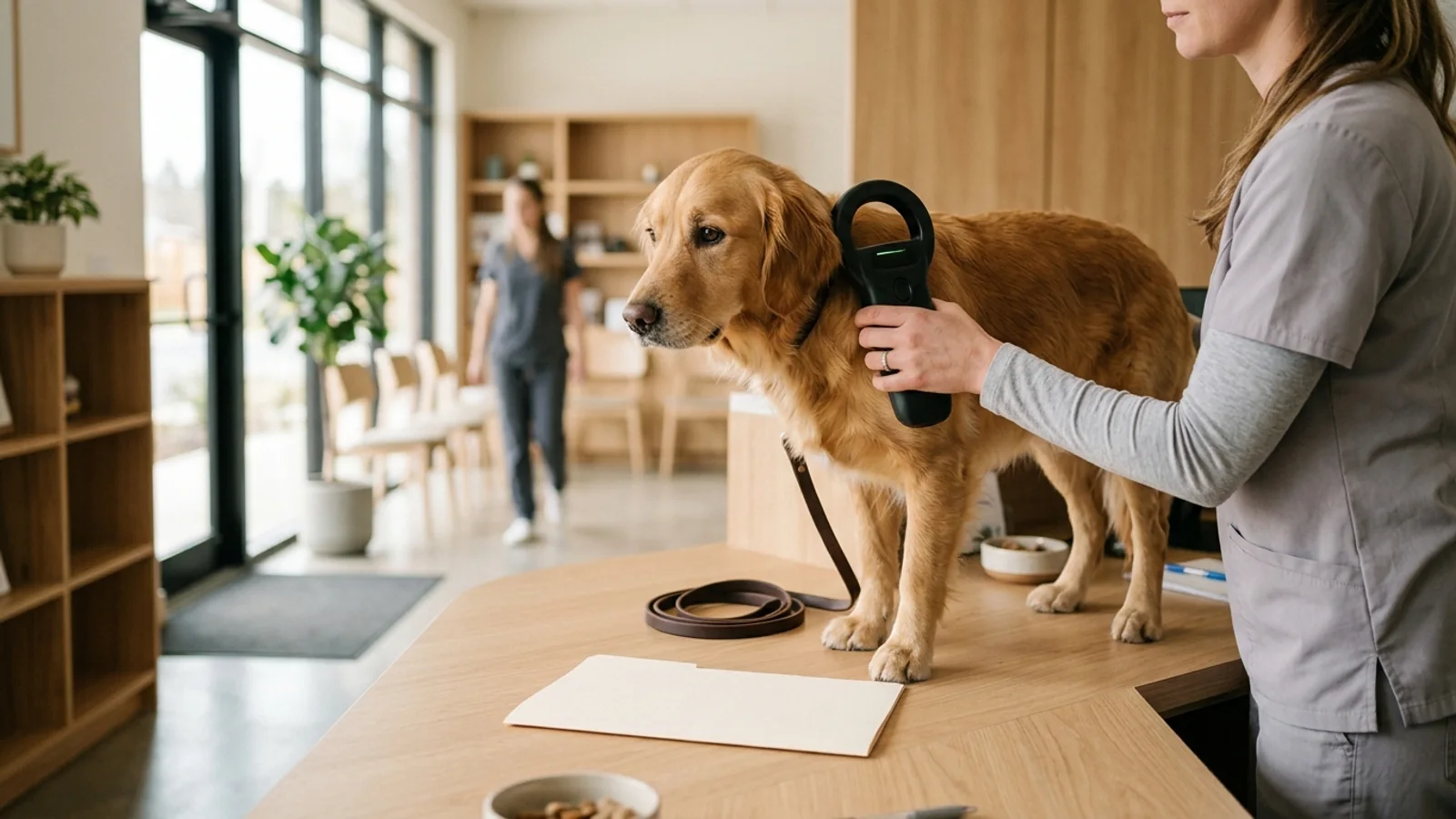
Ask a veterinary clinic, shelter or animal-services office to scan the pet. Call ahead about availability and any charge; free scanning is offered in some settings but should not be promised everywhere. Ask for a written copy of the number or take a clear photograph of the scanner display with staff permission.
A scan that does not detect a chip is not a registry search result. Let trained staff decide whether further scanning with suitable equipment is needed, particularly when paperwork says a chip was implanted. Avoid buying a replacement chip solely because one quick scan or an online lookup produced no result.
If you have found a stray rather than received a documented adoption or rehome, contact the shelter or local animal services about the lost-pet process first. Possession of the animal or knowledge of its chip number is not confirmation that a registration transfer is authorized.
Step 2: Find the registry that holds the record
Enter the number in AAHA's Microchip Registry Lookup Tool without spaces or punctuation. AAHA describes lookup for 9-, 10- or 15-digit numbers. The results identify companies to contact, with the most recently updated registration listed first when several participating registries have information.
The lookup does not show the previous owner's name, address or phone number. It cannot enroll a chip, edit contact details or approve a transfer. Use the company contact information in the results to reach the organization that maintains the record. Do not treat the first result as proof that all other registrations have disappeared.
Multiple matches, no result or a closed registry
Several matches: Contact the listed companies, starting with the most recent. AAHA warns that some numbers beginning with 900 cannot be traced to one provider. A 900 prefix alone does not mean the registry has closed or that the chip is unregistered.
Manufacturer or distributor result: Ask for trackback information about the original purchaser. This may help identify the clinic, shelter or other organization that implanted the chip and locate a useful record.
Failed search: AAHA says this can mean a registry could not be checked. Retry later or contact the company named in your paperwork. The tool searches participating registries, so an absent match does not prove that no registration exists.
Confirmed closed registry: AAHA states that Save This Life ceased operations and was disconnected from lookup. Its notice identifies 991 and 900164 prefixes as potentially needing re-registration. Have the number checked and enroll it with another active registry if necessary; closure alone does not require replacing a functioning chip.
Keep a short record of who you contacted and what they confirmed. Useful notes include the registry name, the chip number, whether it holds an enrollment, what transfer form it requires and whether another organization must act first. Avoid putting a previous owner's personal details into a public lost-pet post or sharing account passwords during the handover.
When more than one enrollment exists
A chip may appear in more than one registry. If you keep multiple enrollments, check the primary and alternate contacts in each one. Updating one profile is not evidence that another has synchronized. Ask about any older enrollment that still points to a previous caregiver rather than assuming a new account makes it irrelevant.
Adding your details to another registry can be appropriate when a registry has closed, but it should not be used to bypass an unresolved transfer in an active registry. Complete the identified company's process and retain its confirmation. The aim is a consistent route to the current caregiver, rather than several conflicting records.
How transfers differ by registry
The following comparison uses pages checked on October 4, 2026. Fees and processes can change. PetLink and AKC Reunite details below come from their own public help pages; the 24PetWatch seven-day description is attributed to Michelson Found Animals and should be confirmed with the current registry.
| Registry | Starting route | Published fee | Timing and confirmation | If the previous contact is unavailable |
|---|---|---|---|---|
| PetLink | The current owner starts an account transfer; the public page also offers a new-owner proof route. | $29.99 paid by the new owner for the cited electronic owner-to-owner transfer. Confirm other routes with PetLink. | PetLink emails the new owner for acceptance; retain its confirmation that the transfer is complete. | Ask support which proof and process apply when the person on file cannot act. |
| AKC Reunite | Pet owner submits online or paper request; pet professionals have a HUB route. | $22.95 online or $29.95 paper. | Contact on file has 30 days to respond; no-response requests are approved within 35 days under the published process. | Call for an open lost/found report; a declined request is refunded. |
| 24PetWatch | Michelson Found Animals describes an account transfer started by the current registered owner. | Confirm the transfer fee directly; no fee is asserted here. | Found Animals describes seven days for the new owner to accept or reject, with completion after that window. Confirm the current process. | Ask current support about documents and review timing. |
| AVID / HomeAgain | Contact the registry identified in lookup for its current transfer instructions. | Confirm directly. | Confirm directly. | Ask which evidence is accepted; the document rules above are not universal. |
PetLink: choose the right transfer route
PetLink's transfer page describes an electronic owner-to-owner route. The current owner logs in, selects the pet and enters the new owner's email. PetLink then asks the new owner to confirm and pay the published $29.99 fee. Keep the completion email rather than treating the initial request as approval.
The same page offers a form for an adopted pet to be transferred into the new owner's name. It requires proof in that person's name and says it cannot accept handwritten documents or documents in the previous owner's name. Ask PetLink which evidence and fee apply to your particular route before submitting or paying; an adoption organization may have a separate professional process.
There is a separate organizational route. PetLink's transfer page asks animal professionals transferring a pet to their organization to submit the Animal Professional Pet Transfer Form with a surrender agreement, intake form, rabies certificate/license, or veterinary records or bills in the organization's name. Those examples belong to the organizational route. Ask for the individual applicant's requirements separately.
AKC Reunite: contact edits versus a new primary contact
Changing the existing primary contact's phone, email or address and adding or updating alternate contacts is free according to AKC Reunite. Assigning a new primary contact is a transfer request with the published online or paper fee. These are different actions, even when both occur around a move.
AKC Reunite emails or mails the contact on file for approval. That person has 30 days to respond; under the published no-response process, approval occurs within 35 days. Approval or rejection is handled accordingly, with a confirmation when complete and a refund when declined. That window belongs to AKC Reunite, not to every registry.
Pet professionals should use the authorized process described on AKC Reunite's transfer page. It directs them to a HUB account and asks shelters or rescues to contact the registry to confirm that the surrendering party matches the contact on file before obtaining a PIN. Professional access does not remove the registry's verification process.
24PetWatch and former Found.org accounts
Michelson Found Animals says former Found.org accounts moved to 24PetWatch after the 2021 sale. It describes the current registered owner starting a transfer and the new owner receiving email, text and phone notification, with seven days to accept or reject. Confirm that workflow and any charges in the current account or with registry support, particularly when the person on file cannot initiate it. The description does not establish a universal fee or guaranteed outcome for an unresponsive-owner case.
When the previous owner cannot be reached
First find out which registry actually holds the enrollment. Then explain whether you have a documented adoption, sale, rehome or inheritance and ask which route applies. A registry may offer documentary review or a notice process, but the evidence accepted by one company should not be assumed acceptable to another.
Ask four practical questions before submitting: Which document is required? Whose name must it show? Does it need to identify the animal or chip number? What confirms approval? Save the answers with your request reference so that a different support representative can understand what you have already supplied.
Check the proof before you submit
A document can be useful in your handover folder without satisfying a registry's transfer requirements. Before sending it, ask the registry to confirm the details below. PetLink's public new-owner form specifically requires documents in the new owner's name; its animal-professional list is a separate route.
Which of your existing documents is accepted for this transfer: the adoption or sale agreement, a license, a rabies certificate, or a veterinary bill?
Whose name must appear, and how should a document naming the previous caregiver be handled?
Which pet identifiers are required, and what should you do if the document and scanned chip number disagree?
Does the document need to be current, and will a clear digital copy be accepted?
Keep the underlying records distinct. A collar tag, vaccination certificate, clinical chart and veterinary bill contain different information. Do not substitute one for another without confirmation from the registry. If you lack its required proof, ask what alternative review is available rather than assuming an application or payment resolves the gap.
Use the documents you actually hold. If they name the previous caregiver, are incomplete or disagree with the scanned number, ask support what to do. Do not alter a certificate or assume that paying for veterinary care automatically satisfies every registry's ownership review. AKC Reunite's documentation examples above apply to its own process.
A contested transfer has a different boundary
If the contact on file objects, ask the registry for its decision and any further review route. AKC Reunite says a declined transfer is refunded. Do not try to resolve an ownership dispute by registering the same number elsewhere or changing a veterinary chart. If the animal is reported lost or found, work through the relevant registry and local animal-services process. This checklist does not determine legal ownership.
flowchart TD
  A["Documented adoption or rehome"] --> B["Confirm chip number from paperwork or scan"]
  B --> C["Search AAHA participating registries"]
  C --> D{"Enrollment identified?"}
  D -->|Yes| E["Follow that registry transfer process"]
  D -->|Unclear| F["Retry lookup and ask for trackback or support"]
  D -->|Confirmed closure| G["Enroll existing functioning chip with an active registry"]
  E --> H{"Completion confirmed?"}
  H -->|Yes| I["Verify primary and alternate contacts"]
  H -->|No| J["Follow up; do not assume approval"]
  F --> D
  G --> I
I --> K["Check clinic records and applicable local requirements"]The rest of the handover packet
Use one folder for identification and care documents, but keep the organizations responsible for them distinct. A useful packet includes the verified chip number, registry name, transfer confirmation, adoption or rehoming agreement, rabies certificate, relevant medical history and any local licensing correspondence. Keep originals or clear digital copies so you can respond to a question without reconstructing the handover.
Rabies certificate and vaccination history
Request the signed rabies vaccination certificate from the previous caregiver or vaccinating clinic. Keep the vaccination date, product information and next-due information legible. If the certificate includes a chip number, compare it with the verified scan. If it does not, ask the issuing clinic or receiving authority what is needed; a chip-number field should not be presented as a universal US certificate requirement.
A rabies certificate is useful evidence of vaccination and may be accepted for a particular registry's review. It is not a universal determination of ownership or permission to travel. For a dog, the separate rabies vaccine guide explains why vaccine timing and local requirements need their own review.
Medical history for the receiving clinic
Registry profiles may contain a medical note, but they are not a complete clinical chart. Ask the prior caregiver to arrange any authorization the previous clinic requires for sending records. Confirm that the new clinic received the file, rather than assuming an email request completed the handover.
Vaccination and preventive-care history appropriate to this dog or cat, including the rabies certificate.
Current medications, allergies or previous adverse reactions, ongoing diagnoses and the existing care plan.
Relevant laboratory results, imaging and surgical reports, with dates and the clinic that produced them.
The separate veterinary records transfer guide covers the clinical file in detail. If several caregivers track ongoing symptoms, a caregiver observation diary can accompany that file. These records support continuity of care; registry acceptance of ownership evidence is a separate question.
Licensing and local microchip databases
Contact the animal-services or licensing office for your new address. Ask whether the species needs a license, whether the existing license can be updated or a new one is required, what vaccination evidence is needed and what deadline applies. There is no nationwide transfer rule established by the county example below.
In Washoe County, Nevada, dog licenses do not transfer between owners, and its FAQ requires a new license when the new owner lives in a congested area. Its separate local chip database also needs attention: the previous owner completes a transfer form, either party may submit it, and the new owner then contacts WCRAS to update the local registry. That is one jurisdiction's process, not a rule for every dog or cat in the US.
If your area keeps a similar local database, ask who must sign the change and how completion is acknowledged. Updating PetLink or AKC Reunite does not demonstrate that local animal services received an update. Conversely, a local license receipt does not confirm completion of a private-registry transfer.
Future travel is a separate document check
For an overseas move, keep the chip and vaccination records and contact a USDA-accredited veterinarian early. USDA APHIS directs owners to destination-specific entry requirements and identifies CDC as the authority for dogs entering or returning to the United States. A routine registry transfer does not establish that a chip, vaccination sequence or health certificate meets an entry requirement.
Ask the veterinarian to check the actual destination rules before arranging vaccination, tests or travel. Some destinations require a rabies antibody test and specific timing; the FAVN travel planning guide addresses that separate decision. Do not infer a universal quarantine or revaccination rule from this handover checklist.
Why the paperwork matters: what shelter data shows
Lord and colleagues' 2009 JAVMA study followed 7,704 microchipped animals entering 53 US shelters during August 2007–March 2008. Of those, 4,083 were strays; the remainder included owner-relinquished and other animals. The study distinguishes locating an owner from returning the animal to that owner.
Reported shelter median return rates were 52.2% for microchipped stray dogs versus 21.9% for stray dogs overall, and 38.5% for microchipped stray cats versus 1.8% overall. Those are shelter medians, not pooled individual probabilities or a direct unmicrochipped control group. In the subset with owner-location data, 2,489 of 3,425 owners were found (72.7%); being found did not always mean reclaiming the pet.
For 876 cases with recorded reasons an owner could not be found, the breakdown was 35.4% incorrect/disconnected phone, 24.3% no reply, 17.2% registration to another group, 13.2% registration to a different owner and 9.8% no registry registration. Among 1,943 cases where shelters contacted a chip registry, 1,129 (58.1%) had a registration in that database.
Turn the failure modes into a handover check
The practical application is to check both the existence of the record and whether someone can act on it. The following is a checklist derived from the reported failure modes, not a tested intervention or a prediction of your pet's recovery chance:
For a stale phone number: verify the full current number in the completed profile. Also check email and an alternate contact rather than relying on one way to reach you.
For unanswered outreach: watch for registry messages during a pending transfer and ask how lost-pet notifications are delivered. Make sure the alternate contact knows they are listed.
For a group still on file: ask the rescue, shelter or breeder whether you have become the primary contact, rather than assuming implantation or adoption paperwork completed enrollment.
For a different individual still listed: retain the transfer confirmation and verify your own profile after approval. A submitted application may still be awaiting review.
For absent registration: confirm an active enrollment in the identified registry. A scan that reads the number confirms identification, not enrollment.
The same approach helps organize a pending request. Mark each action as requested, awaiting review or confirmed. That avoids confusing a receipt, a shelter promise to submit a form, and the registry's final confirmation. For broader shelter outcomes, the separate Austin Animal Center analysis concerns a different dataset and should not be treated as an update to this microchip study.
Keep the record current after the transfer
Ask the veterinary team to scan the chip during an annual wellness visit and compare the number with your records. AAHA's update guide identifies that visit as a useful time to check that the chip still reads. A successful scan does not verify online contact details, so pair it with a registry-account check.
Use August 15, Check the Chip Day, as a recurring reminder. Also check after changing phone numbers, moving or changing caregivers. AAHA's update guide emphasizes maintaining current contacts and an alternate contact. If you keep more than one enrollment, review each one.
A first-week checklist, with follow-up beyond the week
Collect the handover agreement, chip information, rabies certificate and relevant medical history. Arrange a scan if the number is missing or inconsistent.
Identify the registry through AAHA and existing paperwork. Clarify multiple matches or a failed search before starting a new enrollment.
Start the appropriate transfer, confirm acceptable evidence and check whether the adoption organization has a professional process to follow. Keep a request reference and any receipt.
Ask local animal services about licensing and its own database. Obtain any required previous-owner signature while that person is available.
Arrange the clinical record handover and ask the receiving clinic to confirm receipt and record the verified chip number.
Track pending registry review until completion is confirmed, even if it extends beyond the first week. Then check the primary and alternate contacts and save the confirmation.
Before filing the folder away, identify any unfinished step and the organization responsible for the next action. The useful endpoint is a verified number, a reachable current contact in the registry, and the surrounding records needed for this pet's care and local requirements.
Sources
Registry information was checked on October 4, 2026. Use the current provider instructions when submitting a request. The shelter evidence is historical; the 24PetWatch process description below is from Michelson Found Animals rather than a newly verified registry policy.